How MAK SYNTH works
MAK Synth splits a synthesizer into two halves that talk over a USB cable: a controller you build, and a sound engine that runs on your computer. Here is the path a note takes, from your finger on a key to the sound from your speakers.
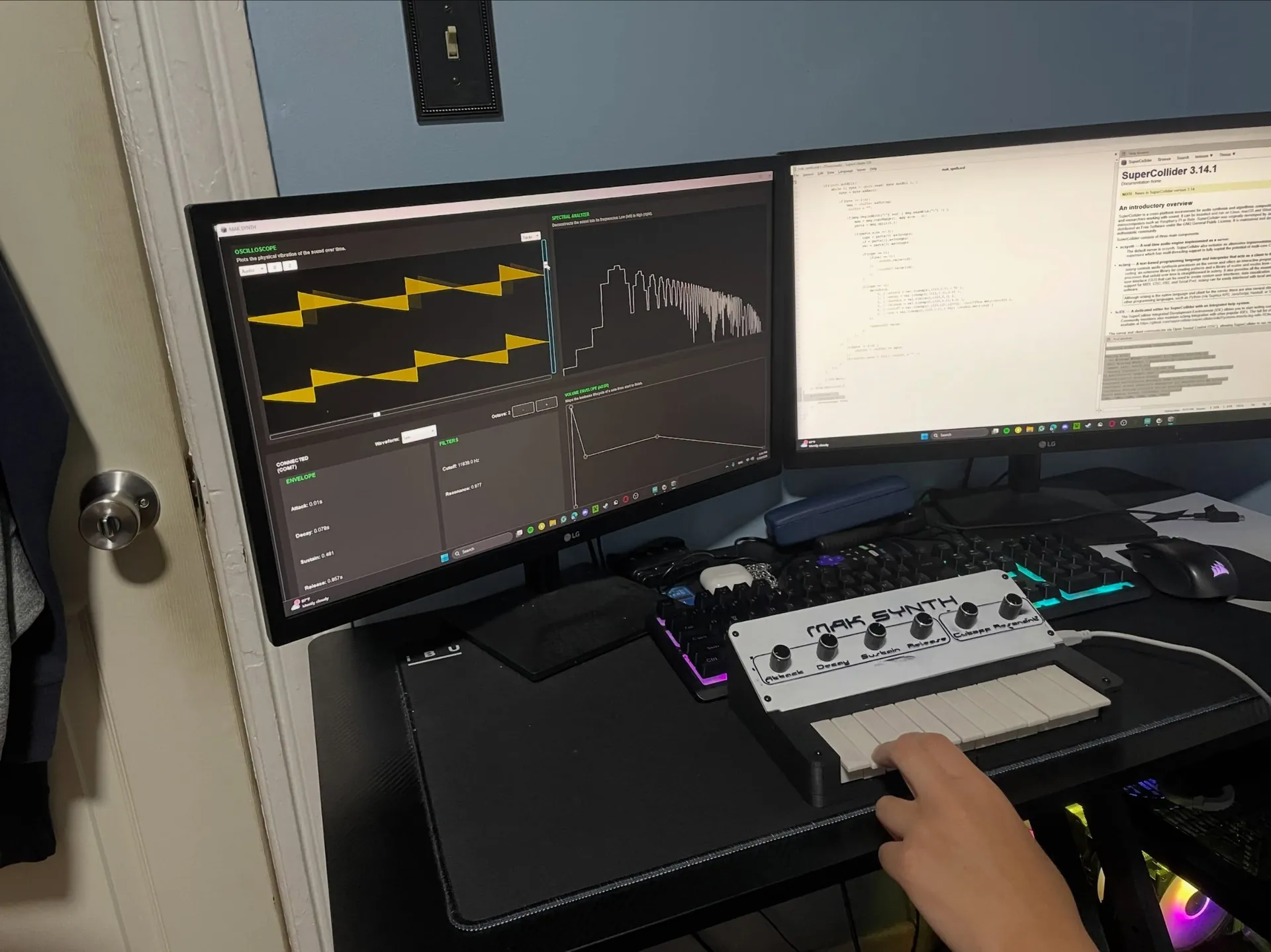
The path a note takes
1. The controller
Twelve keys and six knobs sit on a custom board wired to an Arduino. The keys use the Arduino's internal pull-up resistors, so pressing one pulls its pin low. Each knob is a potentiometer, read as a value from 0 to 1023.
2. Serial messages
The firmware watches the controls and sends a short text message whenever something changes, such as <0,5,0> for a key press or <1,4,812> for a knob. Messages travel over USB at 115200 baud. Keys are debounced so one press registers once, and knob readings are lightly smoothed to remove jitter.
3. The sound engine
On the computer, SuperCollider reads those messages and plays notes. Each key becomes a voice with its own oscillator, and each knob maps to a synthesis parameter in real time.
4. Oscillators and filter
A voice can be a sine, sawtooth, pulse, or noise waveform. It passes through a resonant low-pass filter, where the Cutoff knob sets which frequencies pass through and the Resonance knob emphasizes the frequencies near the cutoff.
5. The envelope
Four knobs shape the volume of each note over time: Attack, Decay, Sustain, and Release. This is the ADSR envelope, the reason a note can fade in slowly or stop the moment you let go.
6. Sound and visualizers
The voices are mixed with headroom so chords do not clip, then sent to your speakers. On screen, an oscilloscope shows the waveform, a spectral analyzer shows its frequencies, and a graph draws the envelope as you adjust it.
The six controls
Every knob maps to one idea from synthesis. The same ideas show up on almost any synthesizer.
| Control | What it does | Concept |
|---|---|---|
| Attack | How quickly a note reaches full volume after a key is pressed | Envelope (A) |
| Decay | How quickly it falls from full volume to the sustain level | Envelope (D) |
| Sustain | The volume held while the key stays down | Envelope (S) |
| Release | How long the note takes to fade after the key is let go | Envelope (R) |
| Cutoff | The frequency above which the filter removes sound | Low-pass filter |
| Resonance | How much the frequencies near the cutoff are emphasized | Filter resonance |
Four waveforms to start from
The waveform is the raw tone a voice begins with, before the filter and envelope shape it.
- Sine: a pure, smooth tone with no added harmonics.
- Sawtooth: bright and buzzy, rich in harmonics, a classic synth sound.
- Pulse: hollow and reedy, built from a square-edged wave.
- Noise: unpitched hiss, useful for percussion and texture.
Why it helps you learn
Because each control changes the sound the instant you move it, and the visualizers react at the same time, the link between an action and its result is easy to hear and to see. Oscillators, envelopes, filters, and signal flow are the same building blocks used across almost every synthesizer, hardware or software, so what you learn here carries over.